

Most standing desk wobble comes down to three things: loose bolts, an uneven floor, or the natural physics of raising a tall column to full height. The single most effective first move is to re-torque every frame and top fixing in a cross pattern, working diagonally rather than side to side. Do this before you blame the desk itself, but stop tightening the moment a wood screw feels loose in its hole rather than snug. If wobble persists after that, it's usually a warranty or repair conversation, not a spanner one.
TL;DR:
- Tightening bolts in a diagonal, cross pattern around the frame is the most effective initial fix for standing desk wobble, often eliminating it entirely.
- Ensuring the desk's feet are level and reducing the height slightly can significantly decrease wobble caused by uneven floor contact or leverage effects.
- Upgrading to a frame with three-stage columns, dual motors, and a reinforced crossbar reduces the likelihood of noticeable sway at full extension.
- Loading the desk with off-center or high-mounted equipment shifts the center of gravity, making even minor structural issues more apparent.
- Regularly checking and retightening fasteners every 30 to 90 days prevents most movement due to gradual loosening, but persistent wobble indicates a design or hardware fault.
Table of Contents
- What causes standing desk wobble?
- How do you fix a wobbly standing desk?
- Three tests to find out exactly what's wobbling
- How often should you check and retorque your desk?
- When is it time to upgrade rather than keep tightening?
- What Ulti gets right about desk stability by design
- Stabilise your setup with the right desk and accessories
- Sources
- FAQ
What causes standing desk wobble?
Wobble rarely has one single cause. It's usually a combination of small looseness points that add up once you raise the desk to a height where the legs are working harder to hold their line.
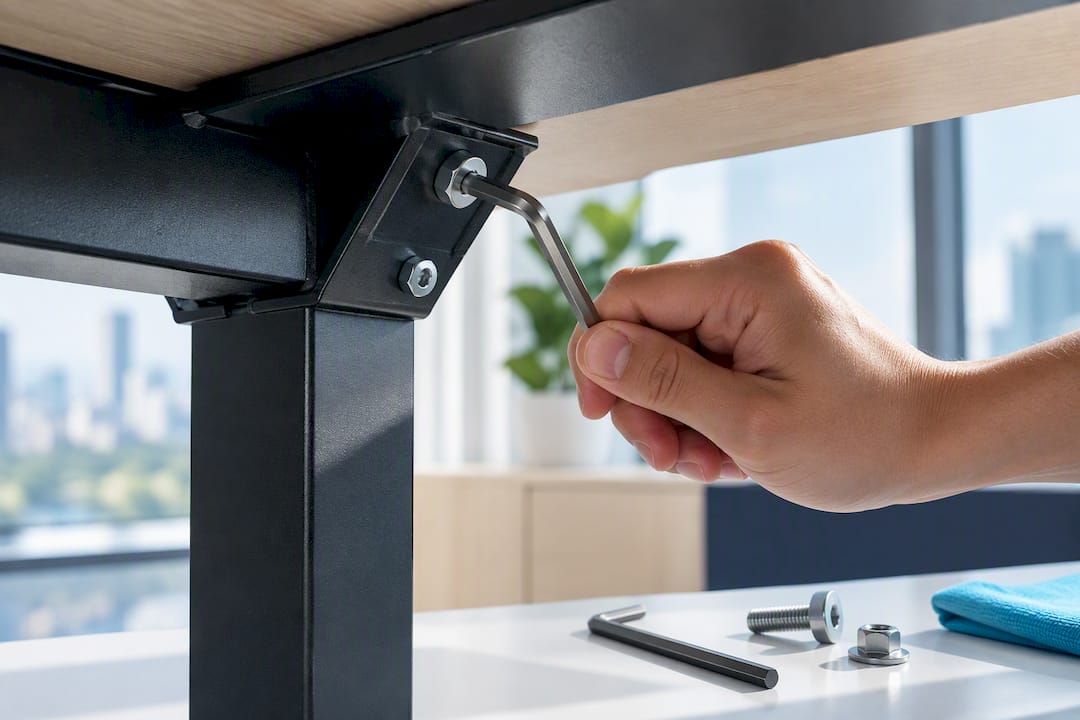
Loose frame bolts and top-to-frame screws are the most common culprit, and the easiest to fix. Every joint where the legs meet the crossbar, and where the top attaches to the frame, is under constant flex during use. Over weeks of adjusting height and leaning on the desk, retorquing these bolts and screws usually removes most of the wobble on its own, which is exactly why it's the first fix worth trying.
Uneven floors and levelling feet cause a different kind of instability. If one foot doesn't reach the ground evenly, the desk rocks on that point no matter how tight the bolts are. Carpet pile makes this worse, because thick pile compresses unevenly under each foot over time, and a desk that rocks on the floor will never feel solid until the feet are levelled.
Missing or weak crossbar bracing shows up as side-to-side sway rather than front-to-back rocking. A crossbar or stability plate ties the two leg columns together, and frames without one lean much more heavily on leg quality alone to resist sway. If your desk sways when you push it sideways but feels steady front to back, this is likely the reason.
Desktop flex and monitor-arm clamps often get blamed on the frame when they're not the frame at all. A thin desktop can flex slightly under a heavy monitor arm, and a loose clamp joint can create a jiggle that looks exactly like frame wobble from where you're sitting. Checking desktop rigidity and arm joints before assuming the frame is at fault saves you from chasing the wrong problem.
Leg architecture and height matter more than most people realise. A two-stage column has less overlap between telescoping sections at full extension than a three-stage column does, and raising the tabletop increases the lever arm while reducing that overlap, which is why almost every standing desk wobbles a little more the higher it goes. Desks with a single motor also tend to extend less evenly than dual-motor designs, adding a slight twist to the sway.
Off-centre or high-mounted loads amplify all of the above. A monitor arm mounted at the back corner, a PC tower hung off one side, or a desk pushed right up against a wall with weight overhanging the front edge, all shift the desk's centre of gravity away from where the legs are strongest. The wobble you feel is often the desk telling you the load isn't where it should be.
- Loose frame or top fixings: check first, cost nothing to fix
- Uneven floor or worn feet: causes persistent front-to-back rock
- Missing crossbar: causes side-to-side sway at height
- Desktop or monitor-arm flex: mimics frame wobble but isn't structural
- Leg stage count and motor setup: sets the ceiling on how stable full height can be
- Off-centre loading: makes every other cause feel worse
How do you fix a wobbly standing desk?
Work through fixes in order of cost and effort. Most people solve their wobble in the first two steps and never need to touch a screwdriver again.
- Re-torque everything, in a cross pattern. Start with the bolts connecting the legs to the crossbar, then the crossbar-to-frame joints, then the top fixings last. Tighten diagonally opposite bolts in sequence, the same way you'd torque a car wheel, so the frame settles evenly rather than twisting under uneven pressure.
- Level the feet. Rock the desk gently by hand at each corner to find the foot that lifts. Screw out the levelling glide on that leg until all four corners sit flush, or use hard floor protectors on tile and thin carpet spikes on thicker pile so the feet actually reach the floor rather than sinking unevenly into it.
- Lower the working height slightly. Dropping the desk by an inch or two from your maximum can reduce wobble disproportionately because you're shortening the lever arm without meaningfully changing your posture. Check this against a proper height and sizing guide first, since dropping too far just trades wobble for a hunched back.
- Reinforce thin tops and monitor-arm clamp points. If your desktop flexes under a heavy monitor arm, a plywood block glued and screwed under the clamp point spreads the load across more surface area. Swapping to a thicker desktop is the next step up if the flex is bad enough to matter.
- Add structural bracing where the frame allows it. A crossbar upgrade, a rear stabiliser panel, or an aftermarket anti-sway brace can transform a side-to-side sway problem. For genuinely severe instability against a wall, a simple L-bracket anchor into a stud takes the last bit of sway out entirely.
- Fix the monitor arm separately from the frame. Tighten every joint on the arm, reposition the clamp closer to the desk's structural centre rather than the front edge, and if you're running two or three monitors, spread them across the span rather than stacking weight on one arm. A tension adjustment on a sagging or dropping arm often solves what looks like desk wobble but is really the arm.
- Know when to stop tightening and call for help. If bolts strip, if a motor grinds or stalls under load, or if wobble returns within days of a proper retorque, that's a warranty or installation service issue, not something a spanner fixes.
Pro Tip: Do steps 1 and 2 before anything else, even if you're convinced the problem is structural. A full reset and troubleshooting pass on the bolts and feet resolves the vast majority of wobble complaints, and it costs nothing but ten minutes.
Three tests to find out exactly what's wobbling
You don't need tools to diagnose which cause applies to your desk. Three quick tests, run in under five minutes, tell you almost everything.
The push-and-settle test is the simplest. Push down on one corner of the desk, release, and count how long it takes to stop moving. A desk that settles in under a second has minor, normal wobble. One that oscillates for two or three seconds, or moves with a large swing rather than a small one, points to a looser structural issue rather than a footing one.
The water-glass test reveals side-to-side instability with more precision than your hand can feel. Place a glass with a little water in it on the desk at full height, then type normally. Watching how much the water surface moves tells you how much lateral sway is actually present, and it's a good way to check whether a fix actually worked rather than just feeling like it did.
The corner press test finds a rocking foot specifically. Press down firmly on each corner in turn. The corner that gives slightly, or that clicks down onto the floor, is the one with the levelling issue.
- Push-and-settle takes longer than a second or swings widely: check bolts and bracing, not feet
- Water glass ripples steadily side to side while typing: crossbar or floor levelling issue
- One corner presses down further than the others: adjust that foot's levelling glide
- Wobble appears only near the monitor, not the whole desktop: it's the arm or the top, not the frame
How often should you check and retorque your desk?
Standing desks go through a break-in period. New fasteners settle slightly as the frame takes on real daily load, which is why a retorque roughly 7 to 14 days after assembly is worth doing even if nothing feels loose yet.
After that, a check every 30 to 90 days keeps most desks solid indefinitely. It takes less time than making a coffee.
- Frame bolts (legs to crossbar): check for any play, retighten if needed
- Crossbar-to-column bolts: same cross-pattern approach as initial assembly
- Top-to-frame screws: these loosen fastest under regular leaning and typing
- Levelling feet: recheck if you've moved the desk or changed flooring
- Monitor-arm clamps and joints: tension loosens gradually with repeated repositioning
Balanced loading between the standing height positions, avoiding heavy overhang past the desk's front edge, and using the correct mounting hardware for your desktop thickness all extend the gap between checks.
When is it time to upgrade rather than keep tightening?
Some wobble genuinely isn't fixable with a spanner. A motor that grinds, stalls, or extends unevenly compared with its opposite leg is a mechanical fault, not a looseness issue, and no amount of retorquing will resolve it. The same applies if wobble returns within days of a thorough fix pass, which usually points to worn components rather than loose ones.
If you're shopping for a frame that resists wobble from the outset, prioritise:
- Three-stage leg columns over two-stage, for better overlap at full height
- A proper crossbar or stability plate connecting both columns
- Dual motors for even extension rather than a single motor driving both legs
- A wider base footprint relative to desktop size
- A thicker desktop, particularly if you're running monitor arms
If you're tall and regularly need near-maximum height, frame height and three-stage architecture matter more to you than they do to a shorter user, since you'll spend more time at the extension range where wobble is most pronounced.
What Ulti gets right about desk stability by design
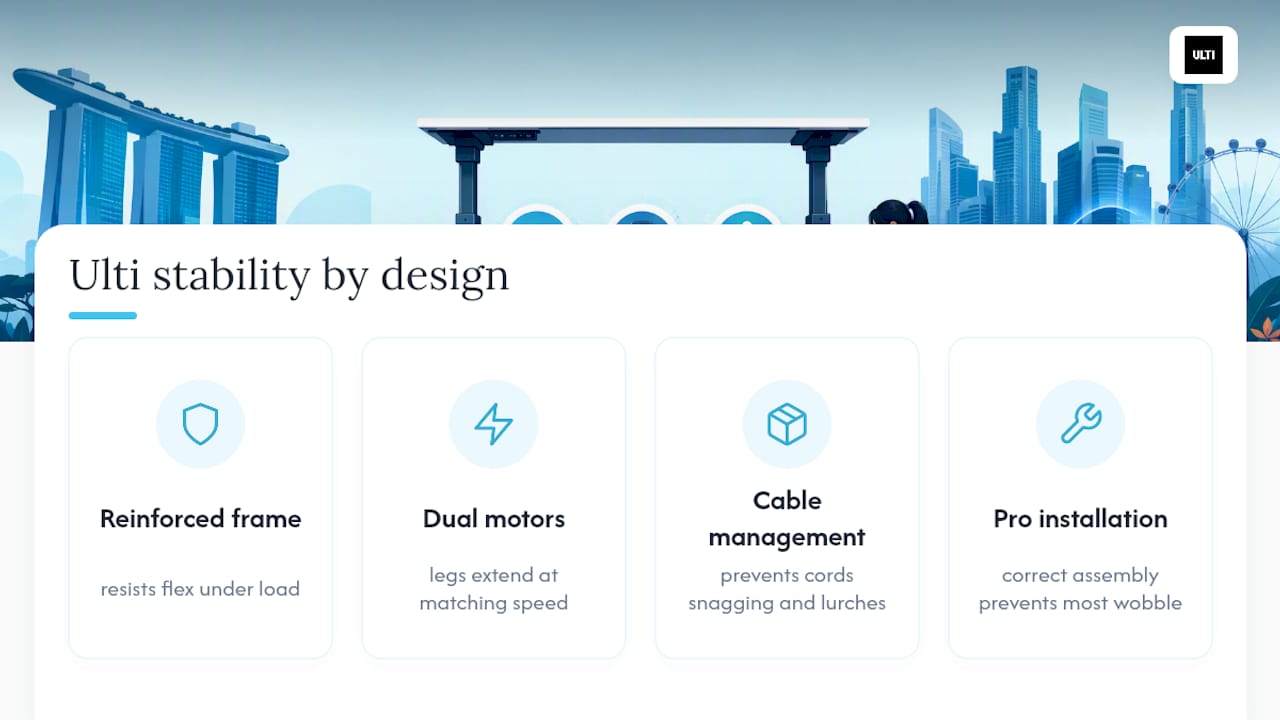
Wobble is largely a design problem before it's a maintenance one. Reinforced steel frames resist the flex that thinner materials develop under load, and dual motors extend both legs at matching speed rather than letting one side lag and twist the column. Integrated cable management keeps cords from snagging or dragging on one side of the desk, which sounds minor until you've felt a desk lurch because a cable caught on a wheel.
A showroom lets you feel that stability at full height before you buy, and an installation service exists precisely because correct initial assembly prevents most wobble complaints before they start. Try the free fixes first. If the desk still moves the way it shouldn't, that's a design and hardware conversation, not a tightening one.
— ULTI
Stabilise your setup with the right desk and accessories
If you've worked through the checks above and the wobble is still bothering you, the fix might be the frame itself rather than another round of tightening. Ulti's standing desks are built on reinforced steel frames with dual motors, designed to hold their line at full extension rather than fight it.
If desktop flex or monitor jiggle turned out to be your actual problem, a monitor arm with a solid clamp point takes the load off a thin desktop entirely, and Ulti's compatibility checker helps you match an arm to your screen setup before you buy. Loose or dragging cables that tug at one side of the desk are worth sorting too. A clamp-on cable spine keeps wiring off the floor and away from moving legs.
For anyone who'd rather skip the trial and error altogether, Ulti's installation service handles assembly and levelling on-site in Singapore, so the desk is torqued correctly and sitting flat from day one. Check the specs on a frame, or book installation, and get a desk that stays steady without a maintenance routine to manage it.
Sources
For the technical detail behind the diagnostic tests and frame physics covered above, see Standing Desk Reference on wobble at full height, DeskOne's guide to common wobble causes, ErgoDeskSpecs on crossbar physics, and DeskSetup Pro's ordered fix sequence.
- How much standing desk wobble is normal at full height? | Standing Desk Reference
- Why standing desk wobbles at full height | DeskOne
- Standing desk wobble at height: the physics and the fix | ErgoDeskSpecs
FAQ
Is it normal for a standing desk to wobble?
A small amount of wobble at full height is normal, since raising the tabletop increases the lever arm on the leg columns. Noticeable side-to-side sway, or wobble that appears at mid-height too, points to a fixable cause like loose bolts or an uneven floor rather than something you have to live with.
How can I stabilise my wobbly standing desk?
Start by re-torquing every frame and top fixing in a cross pattern, then level the feet using the corner press test to find the one that rocks. If sway remains after both steps, a crossbar upgrade or lowering the height by an inch or two usually finishes the job.
How do I stop my desk from wobbling permanently?
Fix the immediate cause first, then keep it fixed with a recheck every 30 to 90 days, since fasteners loosen gradually with regular use. Balanced loading and avoiding heavy overhang past the front edge reduce how often you need to check.
Are there any standing desks that don't wobble at all?
No frame is completely free of movement at maximum height, since the physics of a telescoping column makes some flex unavoidable. Frames with three-stage legs, dual motors, and a solid crossbar minimise it substantially compared with thinner, single-motor designs.