
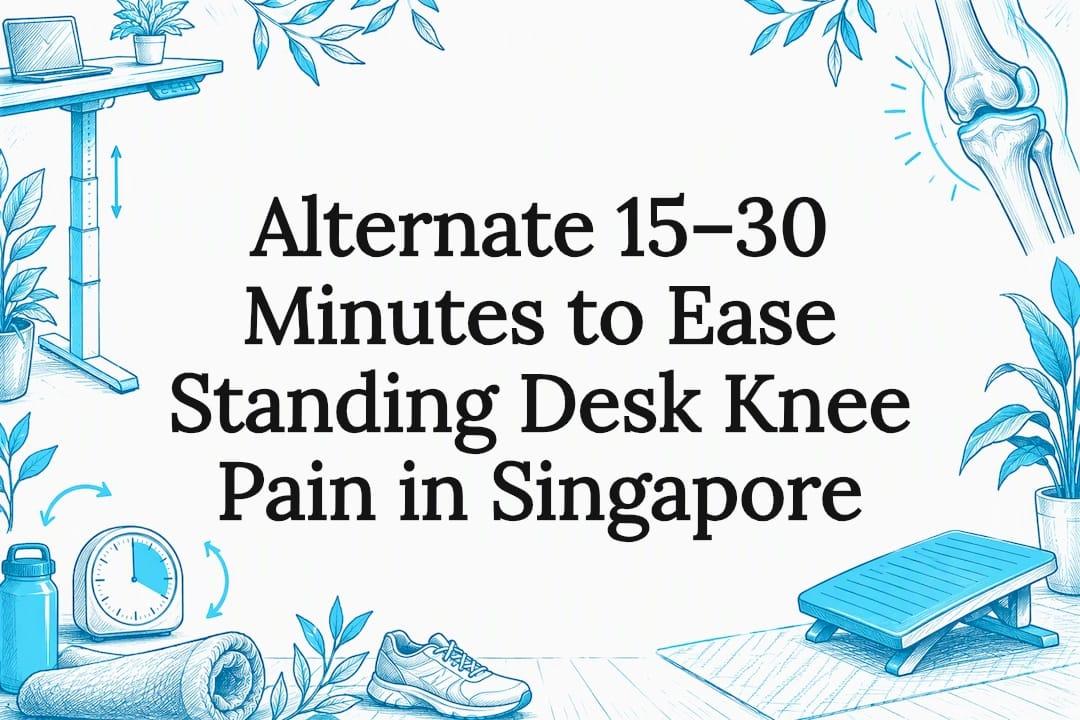
If your knees ache at a standing desk, the desk itself is rarely the real problem: it is usually prolonged static standing, poor foot and desk positioning, or an underlying knee condition that reacts to sustained weight-bearing. Two things to try today: alternate between sitting and standing every 15 to 30 minutes rather than standing still for long stretches, and shift your weight or add a stable mat under your feet. If you notice swelling, locking or your knee giving way, stop and see a clinician before adjusting anything else.
TL;DR:
- Alternating between sitting and standing every 15 to 30 minutes reduces static load and muscle fatigue, which helps prevent prolonged knee discomfort.
- Using stable footwear with a firm sole and an anti-fatigue mat minimizes instability and reduces knee strain during extended standing periods.
- Adjusting desk height to keep knees slightly soft and elbows at a right angle reduces compressive load on the knee joint and prevents aggravation of underlying conditions.
- Incorporating small movements, such as weight shifts or gentle stretches, every few minutes can significantly decrease the risk of knee pain linked to static standing.
- Building a gradual routine, increasing standing time slowly over several weeks, supports knee health and maintains lasting benefits from a sit-stand workstation.
Table of Contents
- Why knees hurt with standing desks: common causes and how to spot them
- Immediate desk-side fixes: movement, microbreaks and simple position changes
- Ergonomic setup tweaks that change knee angles and load
- Footwear, mats and under-desk supports: what to choose to protect your knees
- Exercises to strengthen and stretch the muscles that protect the knee
- A safe adaptation plan: how to increase standing time without making things worse
- How ULTI's resources and products map to these fixes
- Author perspective: a pragmatic, movement-first approach
- Products and services to build a knee-friendly workstation
- FAQ
- Sources
Why knees hurt with standing desks: common causes and how to spot them
Knee pain at a standing desk usually falls into one of two broad categories, and telling them apart changes what you should do next.
The first is compression-related pain, often linked to patellofemoral issues, where discomfort builds gradually during standing and often eases once you sit or bend the knee slightly. The second is weight-bearing pain, associated with conditions such as moderate to severe osteoarthritis or an unstable meniscal tear, where prolonged standing itself places direct load on the joint surfaces and can make symptoms worse rather than better. Clinical guidance suggests these two patterns respond differently to standing: easing knee flexion can help the first, while sustained weight-bearing can aggravate the second.
Symptom timing and location offer useful clues. A cross-sectional study of office workers using standing workstations found that classifying symptoms by their characteristics and exposure patterns, rather than simply noting someone uses a standing desk, is a more reliable way to understand the cause. The same research on standing workstation symptoms links early static standing to specific complaint patterns, including low-back pain, which reinforces that posture and exposure matter more than the desk itself.
Ask yourself these questions before assuming the desk is to blame:
- Does the pain build the longer you stand still, or is it there even when you first stand up?
- Is there any swelling, clicking, locking, or a feeling that the knee might give way?
- Does climbing or descending stairs reproduce the same pain?
- Does sitting down fully relieve the discomfort within a few minutes?
If pain builds gradually and eases with sitting, you are more likely dealing with a posture and exposure issue you can manage with the adjustments below. If you notice swelling, locking, or stair pain that does not ease, treat that as a signal to get it checked rather than something to simply work around.
Immediate desk-side fixes: movement, microbreaks and simple position changes
The single most useful rule is this: avoid holding any one position for too long. Occupational safety guidance on musculoskeletal disorders notes that prolonged static standing causes sustained lower-limb muscle fatigue and venous pooling, and that the practical fix is varying your position rather than standing continuously, as outlined by OSHwiki's review of static standing.
In practice, that means building small, deliberate movements into every work block:
- Shift your weight from one leg to the other every few minutes rather than locking both knees.
- Take a short walk, even just to refill water or make a call, every 30 minutes.
- Perch on a high stool for part of your standing time instead of standing flat-footed throughout.
- Do a few gentle knee bends or ankle pumps at your desk to keep blood moving through the lower leg.
- Set a recurring alarm or visual cue so these changes happen automatically rather than relying on memory.
For a beginner schedule, try standing for short periods followed by longer sitting intervals within each hour, incorporating brief weight shifts or stretches during standing. For an intermediate schedule, increase standing time to balance roughly with sitting, adding a short walk midway through each standing period.
Pro Tip: A phone alarm for weight shifts does more for comfort than any single piece of equipment, because consistency, not intensity, is what prevents static fatigue.
Ergonomic setup tweaks that change knee angles and load
Desk height and foot position directly change how much load passes through your knees, and small adjustments often matter more than people expect.
- Set your standing height so your elbows sit at roughly a right angle and your knees stay slightly soft rather than locked straight, which reduces compressive strain on the joint.
- Use a staggered stance, resting one foot slightly forward of the other, or place one foot on a low footrest to vary the angle at your hips and knees throughout the day.
- Check that your monitor sits at eye level and your keyboard stays close to your body, because reaching forward or twisting to see a screen often causes people to compensate by locking their knees or shifting weight unevenly.
- Reassess your height whenever you change shoes, since a few centimetres of heel height shifts your whole standing posture.
Getting these measurements right the first time saves a lot of trial and error, and a standing desk height chart and sizing guide can help you work out the correct standing and sitting heights for your frame before you start experimenting with microbreaks and stance changes.
Footwear, mats and under-desk supports: what to choose to protect your knees
What is under your feet matters almost as much as what is under your desk. Supportive, stable shoes with a firm sole do more for knee comfort than cushioned trainers alone, because stability reduces the small compensatory movements that add up to knee strain over hours of standing.
- Choose shoes with a snug fit and firm arch support rather than relying purely on soft cushioning, which can encourage instability over long periods.
- Pick an anti-fatigue mat that is firm and stable rather than deeply soft, since very plush mats can increase instability instead of reducing fatigue, a point OSHwiki's guidance on static standing makes explicitly.
- Use an under-desk footrest or a high stool when you need to stand for an extended meeting or task, since resting one foot or partially sitting reduces continuous load far more effectively than standing flat on both feet.
- Reserve prolonged flat standing for shorter blocks, and treat a stool or footrest as your default for anything beyond 30 minutes.
Exercises to strengthen and stretch the muscles that protect the knee
Stronger hips, quads and hamstrings absorb load that would otherwise pass directly through the knee joint, and a short routine goes a long way.
- Wall sits or quad isometric holds, three times a week, to build quad strength without repetitive joint movement.
- Glute bridges, daily or every other day, to strengthen the muscles that stabilise your pelvis and reduce compensatory knee strain.
- Standing hamstring stretches, held for 20 to 30 seconds, daily, to maintain flexibility through the back of the leg.
- Calf raises, three times a week, to support ankle stability, which indirectly reduces knee compensation.
- A foam-roller pass or gentle stretch along the IT band, a few times a week, to ease tightness along the outer thigh.
Start gently and build up gradually rather than pushing through sharp pain, particularly if you are returning from any recent injury. Avoid aggressive loading straight after an acute flare-up, and if you notice locking, persistent swelling or a feeling of instability during these exercises, stop and get assessed by a clinician rather than working through it.
Pro Tip: Pair one strength exercise with one stretch each day rather than trying the full list at once. Small, consistent sessions beat occasional long ones.
A safe adaptation plan: how to increase standing time without making things worse
Building standing tolerance works best as a gradual, monitored process rather than switching from all-sitting to all-standing overnight.
- Start with roughly 15 minutes standing per hour, then progress towards a 30 minutes standing, 30 minutes sitting split once that feels comfortable.
- Move towards 45 minutes standing and 15 minutes sitting only once the previous stage feels easy, typically over several weeks rather than days.
- Keep a brief symptom diary noting pain location, intensity and timing, since this makes it much easier to spot whether a change is helping or making things worse.
- Expect improvement to unfold over weeks rather than days, and treat transient soreness during the first couple of weeks as different from sharp or worsening pain.
It is worth setting expectations honestly here. A longitudinal randomised controlled trial following a sit-stand desk intervention found musculoskeletal benefits in the medium term, but these benefits diminished over a longer follow-up period unless people sustained active behaviour change, and early, visible improvement predicted who kept the gains, according to research on sit-stand desk adaptation. In other words, the first few weeks of consistent effort matter more than most people assume, and treating a standing desk as a one-off purchase rather than an ongoing habit is where most people lose the benefit.
How ULTI's resources and products map to these fixes
Putting this advice into practice is easier with the right equipment underneath it. A broader randomised intervention review found that sit-stand workstations work best as movement-enabling tools rather than devices for continuous standing, which is exactly the principle our product range is built around, as summarised in this review of sit-stand workstation evidence.
- Our height-adjustable standing desks let you move between precise sitting and standing positions in seconds, which supports the alternating schedule this guide recommends rather than locking you into one posture.
- Our monitor arms help you set screen height independently of desk height, so your neck and knees stay in a neutral position instead of compensating for a mismatched setup.
- Our workspace accessories, including anti-fatigue mats and cable trays, help keep the floor area clear so you can comfortably shift stance or rest a foot without tripping over cables.
- Our standing desk height chart and sizing guide walks you through setting the correct standing and sitting heights before you begin adjusting your routine.
- Our standing desk troubleshooting and reset guide helps you keep height settings consistent once you find the position that works for your knees.
- For readers pairing a desk with seating changes, our ergonomic chair adjustment guide covers the seated side of an alternating routine.
If you would rather not stand entirely on bare floor, compression hosiery is another option worth knowing about: a guide to compression support for standing professions covers how supportive socks can ease leg fatigue during long standing periods, which pairs naturally with the mat and footwear advice above.
Author perspective: a pragmatic, movement-first approach
A standing desk is a tool, not a cure, and treating it that way changes how you use it. The honest position is that most knee pain linked to standing desks comes from standing too long in one position, not from standing itself, so the fix is rarely a single product and almost always a habit of variation. Experiment with your schedule, track what actually helps, and treat persistent swelling, locking or instability as a reason to get assessed rather than a reason to push through.
— ULTI
Products and services to build a knee-friendly workstation
A workstation that actually supports movement, rather than just looking adjustable, makes the biggest difference to how your knees feel by the end of the day. Our standing desks combine dual-motor height adjustment with a reinforced steel frame, so moving between sitting and standing stays quick and stable through dozens of changes a day, and our built-in cable management keeps the floor clear for weight shifts and stance changes.
If you would rather have everything set up correctly from the start, our installation service handles desk height, monitor arm positioning and cable routing so your setup matches the adjustments covered in this guide from day one. Browse our standing desks and workspace accessories to find a setup that fits your space and start building a standing routine that actually protects your knees.
This article is general information, not a substitute for advice from a qualified doctor. Consult a qualified healthcare professional about your own circumstances before acting on anything here.

FAQ
Can standing too long damage the knees?
Standing itself is not inherently damaging, but prolonged static standing causes sustained lower-limb fatigue and increased joint load, which can aggravate certain conditions over time, according to OSHwiki's review of static standing. The risk comes mainly from staying in one fixed position for long periods rather than from standing in general, so alternating positions is the key protective step.
What is the #1 mistake that makes bad knees worse?
The most common mistake is standing completely still for long stretches instead of varying position and movement throughout the day. Static standing increases venous pooling and muscle fatigue in the lower limbs, so building in regular weight shifts, stance changes and short walks matters more than any single piece of equipment.
What is the best sitting position to avoid knee pain?
A good seated position keeps your knees roughly level with or slightly below your hips, with feet flat on the floor and enough seat depth to support your thighs without pressing behind the knee. Adjusting chair height and seat depth properly, as covered in our ergonomic chair adjustment guide, helps avoid the compensatory postures that contribute to knee strain.
Why do my knees hurt when I'm sitting in a chair?
Knee pain while seated often comes from a chair that is too high, too low, or lacking seat depth adjustment, which forces the knee into an unnatural angle for long periods. It can also reflect an underlying condition such as patellofemoral pain, where prolonged knee flexion itself triggers discomfort, so checking both your chair setup and symptom pattern helps narrow down the cause.
Sources
- Randomised sit‑stand intervention review (2022)
- Symptom characteristics in office workers using standing workstations: A cross‑sectional study
- OSHwiki: Musculoskeletal disorders and prolonged static standing