
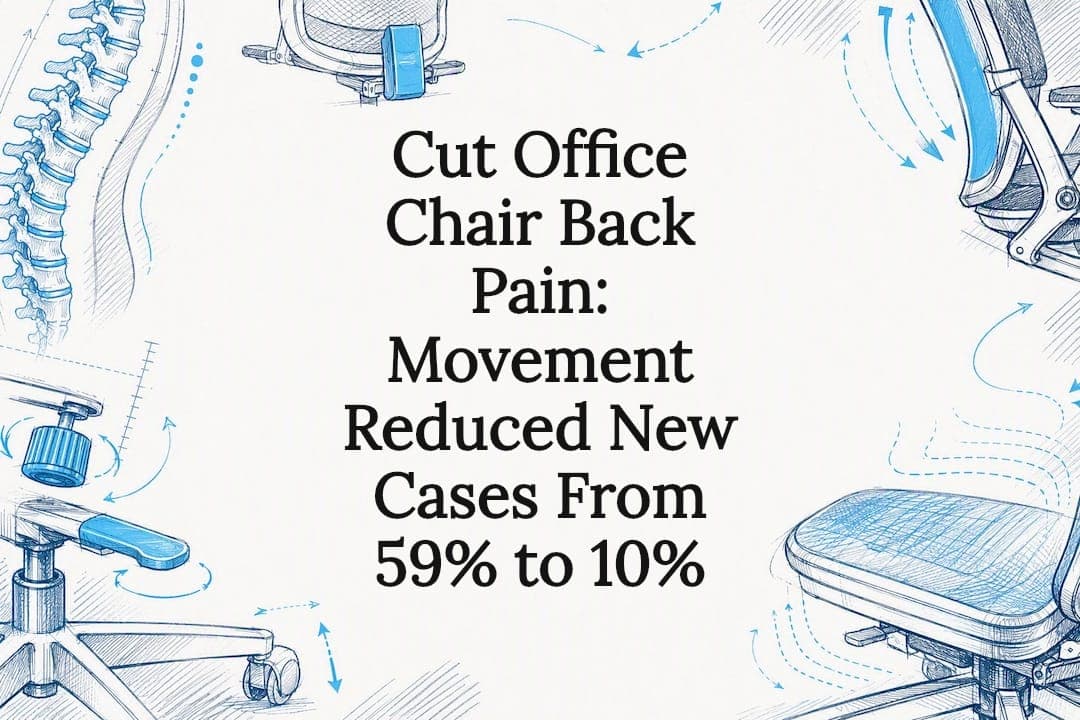
Yes, an office chair can cause or worsen back pain, usually through poor lumbar contact, wrong seat depth, or hours of static loading. The quickest fixes: raise or lower the seat until your hips sit slightly above your knees, push your lower back into the lumbar support, and set a timer to stand every 30 to 45 minutes. Research backs movement over any single chair feature, so treat adjustment and behaviour change as one job, not two.
TL;DR:
- Chairs with dynamic support that follows spinal movement outperform fixed lumbar pads in reducing back pain associated with static sitting.
- Seat depth adjustment and lumbar support range are crucial, as improper settings can worsen pain or cause poor posture.
- Regular movement, set every 30 to 45 minutes, combined with ergonomic setup, significantly lowers the risk of developing back and neck pain.
- A low-cost cushion encouraging small postural shifts can reduce back pain incidence from 59% to 10% over six months.
- Proper chair trial should simulate actual work tasks over hours, as short tests often miss issues that only emerge during sustained use.
Table of Contents
- Why sitting in some office chairs hurts: biomechanics and common failure modes
- Chair features that help reduce back pain: a prioritised checklist
- How to set up and adjust your office chair, step-by-step
- Behavioural and workspace changes that must accompany a better chair
- What the research actually says about chairs and back pain
- When chair changes are not enough: red flags and when to see a clinician
- Ulti insight: how the client's product categories and tools map to evidence-based fixes
- Editorial perspective: realistic expectations and pragmatic buying advice
- How Ulti can help: product pages and next steps
- Sources
Why sitting in some office chairs hurts: biomechanics and common failure modes
Your spine is built to move, not to hold one shape for eight hours. When a chair traps you in a fixed position, the small stabilising muscles around your lumbar spine fatigue, and the discs between your vertebrae lose the gentle pumping action that keeps them nourished. That's the core mechanical problem behind most office chair back pain, and it explains why even a well-padded chair can leave you sore if you never move in it.
Static loading is the biggest offender. Sitting still for long stretches increases pressure on the lumbar discs far more than standing does, and that pressure climbs further if you slump forward towards a screen. A chair doesn't need to be cheap or badly designed to cause this. It just needs to make it too easy to stay motionless.
Seat pan depth matters more than most people realise. If the seat is too long for your thighs, the front edge digs into the back of your knees, which pushes you to slide forward and lose contact with the lumbar support entirely. Too short, and your thighs lack support, shifting weight onto your tailbone and lower back. Seat height compounds this: sit too high and your feet dangle, pulling your pelvis into a tilt that flattens your natural lumbar curve; sit too low and your hips drop below knee level, rounding your lower back.
Fixed lumbar pads are another common culprit. A pad bolted in one position only helps when you sit in exactly the posture the designer imagined. The moment you recline, lean forward to type, or shift your weight, a fixed pad loses contact and stops doing anything useful. Chairs with backrests that flex and follow your spine as you move tend to maintain support across a wider range of postures, which is why ergonomic design is increasingly moving away from rigid, one-position lumbar pads towards dynamic support that tracks spinal movement.
Armrests and monitor height don't get blamed enough. Armrests set too high push your shoulders up towards your ears, creating tension that radiates into your upper back and neck. Set too low, and you lean sideways to rest an elbow, twisting your spine asymmetrically for hours at a stretch. A monitor positioned too low forces your neck into flexion, which drags on the muscles running down into your thoracic spine, so pain that feels like it's coming from your upper back sometimes starts at eye level, not seat level.
Where the pain shows up is a useful diagnostic clue:
- Diffuse ache across the lower back after sitting for an hour or more usually points to static loading and insufficient movement, not a single chair fault.
- Sharp pain focused on one side often signals asymmetric loading from a broken or misaligned armrest, or a habit of leaning to reach a mouse or phone.
- Pain that eases when you lean back but returns when you sit upright typically means the lumbar support isn't reaching your spine in your working posture.
- Tailbone or sit-bone pain suggests seat firmness or cushioning is wrong for your body weight and shape, not a lumbar issue at all.
- Neck and shoulder tension that travels down the back often traces to monitor height or armrest position rather than the backrest.
Clinical guidance on seating consistently makes the same point: no single chair feature helps every diagnosis equally, so matching your specific pain pattern to the right adjustment matters more than chasing a chair with the most features on paper.
Chair features that help reduce back pain: a prioritised checklist
Not every adjustment matters equally, and spending on the wrong feature wastes money without fixing anything. Here's a rough order of priority based on what actually shifts outcomes.
1. Dynamic back support over fixed lumbar pads. A backrest that flexes with your spine as you shift, recline, or lean forward keeps contact through more of your working day than a pad locked in one spot. This is the single feature most worth paying for if your budget only stretches to one upgrade.
2. Adjustable lumbar height and firmness. Your lumbar curve sits at a different height than your colleague's. A lumbar support that only moves up and down (not just in and out) lets you match it to your actual spine, which matters more for shorter or taller users than most buying guides admit.
3. Seat depth adjustment. If you can't slide the seat pan forward or back, you're stuck hoping the factory setting matches your thigh length. Seat depth adjustment is cheap to include and frequently the difference between a chair that fits and one that doesn't.
4. Recline tension and lockable angles. The ability to lean back without your lumbar support losing contact, and to lock the recline at a few points through the day, supports the postural variation that static-loading research says matters more than any fixed "correct" posture.
5. Four-way (4D) armrests. Height, width, depth, and pivot adjustment let you rest your forearms without hunching your shoulders or twisting your spine, which matters most for people whose pain shows up in the neck and upper back rather than the lower back.
6. Seat tilt independent of backrest. Being able to tilt the seat pan forward slightly can help with pelvic positioning, particularly for people who battle a flattened lumbar curve from sitting too upright too long.
Seat firmness deserves its own mention because it's often skipped. If your pain is concentrated on your tailbone or sit bones rather than your lower back, the fix usually isn't more lumbar support. It's a firmer seat, or occasionally a cut-out cushion that redistributes pressure away from the coccyx. Softer foam feels comfortable for the first ten minutes and then compresses unevenly, which can actually increase pressure on bony contact points over a full day. Matching seating strategy to the pain generator, rather than defaulting to "more cushioning," is a distinction that clinical guidance on sitting pain makes clearly.
Pro Tip: If two chairs look identical on a spec sheet, check the lumbar adjustment range in centimetres, not just whether it's "adjustable." A pad that only moves 3cm won't help someone whose lumbar curve sits 8cm from the seat's factory position.
Cost and warranty trade-offs matter too. Chairs with genuine dynamic mechanisms and wide adjustment ranges tend to sit in a higher price bracket, but that doesn't mean the most expensive option automatically wins. Fit matters more than price tier: a mid-range chair adjusted correctly for your body will usually outperform a premium chair left on factory settings. If you're comparing options in this category, our ergonomic chair buying guide walks through the trade-offs between adjustment range, warranty length, and fit for different body sizes in more depth. For a browsable look at chairs built around dynamic lumbar tracking and full 4D adjustability, ULTI's ergonomic chairs range is worth a look once you know what you're prioritising.
How to set up and adjust your office chair, step-by-step
Most people adjust their chair once, on day one, and never touch it again. That's a mistake, because the right settings shift slightly as your desk, monitor, or even your shoes change. Run through this sequence properly and you'll catch problems a quick glance never would.
1. Set seat height first. Sit with your feet flat on the floor and check that your knees sit at roughly a 90 to 100 degree angle, level with or very slightly below your hips. If your desk is fixed height, your chair height needs to work backwards from your desk, not the other way round.
2. Adjust seat depth. Sit back fully into the chair and check the gap between the front edge of the seat and the back of your knees. You want roughly two to three finger-widths of clearance. Too much clearance and your thighs lack support; too little and the seat edge cuts into your knees.
3. Position the lumbar support. Push your lower back firmly into the backrest and adjust the lumbar pad's height until it sits right in the curve above your belt line, not below it. You should feel it pressing gently into your spine when you sit upright, and it should still make contact when you recline slightly.
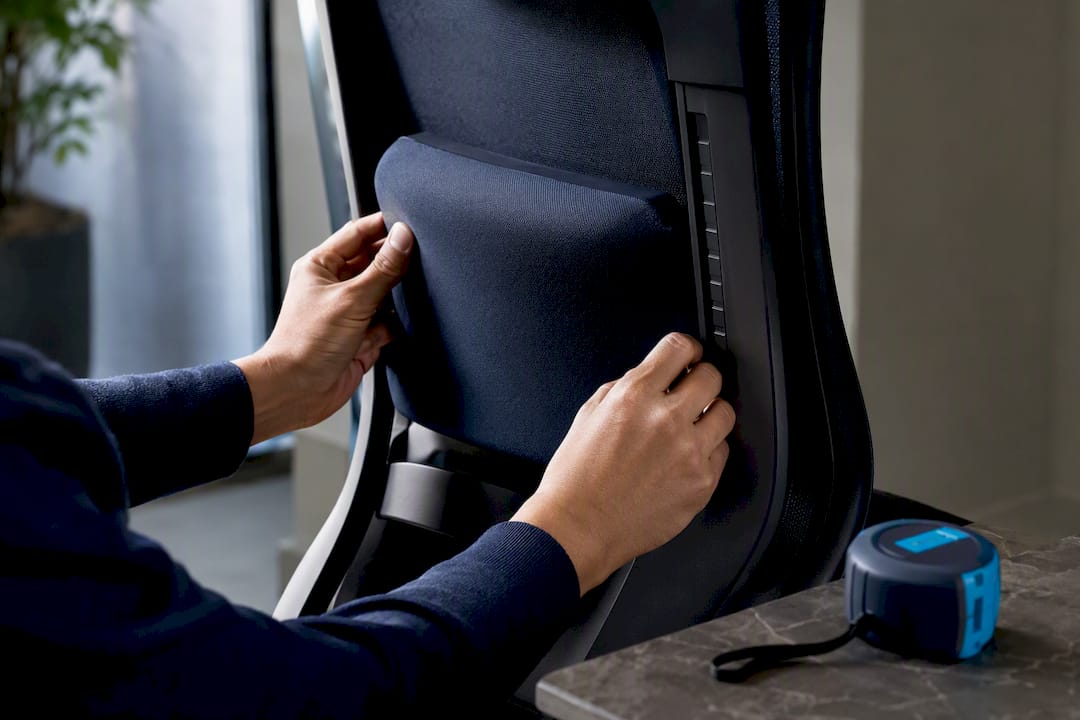
4. Set armrest height and width. Let your shoulders relax down away from your ears, then raise the armrests until your elbows rest on them at roughly a 90 degree angle. Adjust the width so your elbows sit close to your torso, not flared out.
5. Tune recline tension. Lean back and check whether the backrest supports your weight without feeling like it'll tip you backwards or fight every movement. Lock the recline at a comfortable working angle if your chair allows it, but don't lock it at 90 degrees all day. Some movement is the point.
6. Check monitor height and distance as a final step. The top third of your screen should sit at or just below eye level, roughly an arm's length away. If you're constantly tilting your neck down or forward, no chair adjustment will fix the upper back tension that follows.
Once you've made these six adjustments, run a few quick verification checks. Sit normally and glance down: are your feet flat, not tiptoed or dangling? Reach for your keyboard: are your shoulders relaxed, not hunched? Lean back into your usual working recline: does your lower back still touch the lumbar pad? If any answer is no, go back and re-adjust that specific setting rather than starting over from scratch.
A five-minute showroom sit-test won't reveal much. Practical testing guidance suggests you need to simulate a real working session, roughly two to three hours, to see whether a chair's lumbar contact holds up as you shift, recline, and reach for different tasks. Seat depth issues in particular often only surface after 30 to 40 minutes, once your legs have had time to feel the pressure at the front edge. If you're trialling a chair at home or in a showroom, do your actual work in it: type, take a call, lean back to read something. Don't just sit still and nod.
The stat that matters here: in a six-month cluster-randomised trial, high-risk office workers using a dynamic seat cushion saw new low-back pain incidence drop from 59% to 10%, and new neck pain drop from 65% to 15%. The intervention wasn't a premium chair. It was a low-cost add-on that encouraged small, constant postural shifts. Adjustment matters, but so does what you do once you're sitting in a correctly adjusted chair.
For a Singapore-specific walkthrough with photos of each adjustment point, ULTI's chair adjustment guide covers the same sequence in more visual detail.
Behavioural and workspace changes that must accompany a better chair
A chair is one lever, not the whole machine. Even the most adjustable chair on the market can't stop pain if you sit rigidly still in it for nine hours a day. This is the intervention-bundle principle, and it's the single biggest gap between what chair marketing promises and what the research actually supports. A 2026 evidence synthesis argues that the strongest trial-level evidence favours combining chair adjustments with training and movement options, not chairs bought and used in isolation.
Building movement into your day doesn't need to be complicated. A few habits, applied consistently, do most of the work:
- Set a recurring timer for every 30 to 45 minutes and stand up, even briefly, when it goes off.
- Shift your seated posture every 10 to 15 minutes rather than holding one position until it becomes uncomfortable.
- Stand while taking phone calls or video calls that don't require you to type.
- Do a short set of desk-side stretches, chest opener, seated spinal twist, hip flexor stretch, once every hour or two.
- Walk to refill your water or make tea rather than keeping a bottle at your desk indefinitely.
Pro Tip: Pair your movement timer with something you're already doing, like refilling a water glass. Habits attached to an existing routine stick far better than standalone reminders that feel like one more task.
A sit-stand desk fits naturally into this pattern because it removes the friction of "getting up." If standing requires walking away from your workstation, you'll skip it on busy days. If it just requires pressing a button, you're far more likely to actually change position hourly rather than telling yourself you'll do it later. Pairing a height-adjustable desk with a chair that supports dynamic movement, rather than locking you into one posture, addresses both halves of the static-loading problem at once.
Dynamic seat cushions deserve a specific mention because the evidence behind them is unusually strong for such a low-cost product. The same trial that found the 59% to 10% drop in low-back pain incidence used a cushion designed purely to encourage small, constant postural shifts, not a redesigned chair. If a new chair isn't in your budget right now, a cushion that nudges you to move is a reasonable interim step, and possibly a permanent one, since the trial ran for six months with sustained results.

What the research actually says about chairs and back pain
The strongest single piece of evidence in this space isn't about a chair at all. It's about a cushion. The 2024 cluster-randomised trial tracked high-risk office workers over six months and found that a dynamic seat cushion, one designed to promote frequent small postural shifts rather than lock users into a fixed shape, cut new low-back pain incidence from 59% down to 10%, and new neck pain from 65% down to 15%. The adjusted hazard ratios (0.16 for low-back pain, 0.19 for neck pain) suggest the effect wasn't marginal. That's a genuinely large protective effect from a product that costs far less than an ergonomic chair.
Compare that against the evidence for fixed lumbar support, and the picture gets murkier. Meta-analyses pooling lumbar-support trials show heterogeneity so high (I² around 97%) that the trials barely agree with each other. Some report meaningful pain reduction; others report none. That inconsistency doesn't mean lumbar support is useless. It means a single lumbar pad doesn't work the same way for everyone, which lines up with the earlier point about matching seat features to your specific pain generator rather than assuming one setting fits all bodies.
Ergonomic chairs improve comfort and biomechanical support, but a 2025 systematic review found mixed effectiveness at consistently reducing existing pain intensity, with movement-friendly, dynamic designs outperforming static lumbar-only setups across the studies reviewed.
That's a meaningfully different claim from "buy an ergonomic chair and your back pain goes away." Comfort and pain relief aren't the same outcome, and a chair can improve one without meaningfully shifting the other, particularly if the person sitting in it doesn't change any habits around it.
The practical inference from all this evidence points in one direction: prioritise dynamic support and behaviour change over any single-feature promise. Be sceptical of marketing that pins pain relief on one component, whether that's a lumbar pad, a mesh back, or a headrest. The trials that show the clearest results tested movement-encouraging interventions, not static comfort upgrades. If you're choosing between two chairs and one offers a fixed lumbar pad while the other offers a backrest that flexes with your spine, research suggests the flexible option may be better because the evidence for dynamic support is often more consistent across different body types and working styles.
Worth noting too: trials in this area typically measure outcomes at 6 to 12 months, but people who respond well to a chair or cushion change often notice a difference within 2 to 6 weeks. If you've made sensible adjustments and added movement and still feel no change after six weeks, that's a reasonable point to reassess rather than assume you just need to wait longer.
When chair changes are not enough: red flags and when to see a clinician
Most office chair back pain responds to better fit and more movement within a few weeks. Some symptoms don't, and they need a clinician's attention rather than another chair adjustment.
See a doctor or physiotherapist promptly if you notice any of the following:
- Progressive weakness in your legs, or difficulty standing from a seated position that's getting worse over days or weeks.
- Numbness, tingling, or shooting pain travelling down one or both legs.
- Any change in bowel or bladder control alongside back pain.
- Severe pain that wakes you at night or doesn't ease with rest or position changes.
- Pain following a specific injury, fall, or sudden onset rather than a gradual build-up.
None of these are things a better chair fixes, and pushing through them while waiting to see if a new chair helps can delay a diagnosis that matters.
Before your appointment, jot down what you've already tried: which adjustments you made, how long you've used them, what pain patterns you've noticed (time of day, specific postures, better or worse with movement), and any products you've added like cushions or footrests. That record helps a clinician skip straight to useful questions rather than starting from zero.
Conservative next steps clinicians typically suggest first, before anything more invasive, include a targeted assessment of your workstation setup, a short course of physiotherapy focused on core and postural muscles, and a structured return to movement rather than complete rest. Rest for more than a day or two often makes mechanical back pain worse, not better.
Ulti insight: how the client's product categories and tools map to evidence-based fixes
Some ergonomic chairs, monitor arms, and sit-stand desks are built around the principle research points to: support that adapts to how you actually move, not a single fixed "correct" posture. Some chair ranges focus on adjustable lumbar tracking, seat depth adjustment, and recline mechanisms that maintain backrest contact through a working range of angles rather than just one locked position.
If you're trialling a chair, whether from Ulti or anywhere else, test these specifics rather than just how it feels for the first thirty seconds:
- Seat depth adjustment across your actual thigh length, not the factory default.
- Whether lumbar contact holds as you recline, not just when sitting bolt upright.
- How the backrest behaves under sustained typing or reading, ideally over an hour or more.
- Whether a sit-stand desk pairing changes how often you naturally shift position.
- Monitor arm height and reach, since neck strain from screen position often gets misread as a chair problem.
Ulti's ergonomic chair finder is built to shortcut some of this by matching body dimensions and typical pain patterns to specific models before you commit to a trial. Pairing a chair with the right monitor arm height also matters more than most buying guides mention, since screen position drives a meaningful share of the upper back and neck tension that gets blamed on the chair alone. Configuring both together, rather than fixing one and hoping the other sorts itself out, tends to produce a setup that actually holds up over a full working day.
Editorial perspective: realistic expectations and pragmatic buying advice
There's no miracle chair. The evidence doesn't support one, and honestly, no manufacturer's marketing claim should override what the trials actually show: dynamic support and movement matter more than any single premium feature. Chairs are one part of a plan, not the whole plan.
If you're working with a limited budget, spend it on adjustability rather than brand prestige. A mid-range chair with genuine seat depth and lumbar height adjustment, paired with a real commitment to moving every 30 to 45 minutes, will very likely outperform an expensive chair left on factory settings and sat in motionless all day. Remanufactured or mid-tier options with wide adjustment ranges frequently offer better value per adjustment than flagship models priced mainly on brand recognition.
Prioritise trial periods over specification sheets. A chair that reads perfectly on paper can still fail the two-hour sustained-task test. If a retailer won't let you trial a chair properly, that tells you something about how confident they are in the fit.
— ULTI
How Ulti can help: product pages and next steps
Getting your seating and desk setup right shouldn't mean months of trial and error with chairs that only look adjustable on a spec sheet. Some e-commerce providers offer ergonomic chairs, sit-stand desks, and monitor arms designed around dynamic support and adjustability the research in this article points to, available online or in showrooms, aiming to simplify setup without the guesswork of piecing together separate brands that weren't designed to work together.
Start with the ergonomic chair finder if you're not sure which model suits your body and pain pattern. It matches your dimensions and typical discomfort to specific chairs rather than leaving you to guess from photos. If you already know you want to browse the full range, the ergonomic chairs category covers models with adjustable lumbar tracking, seat depth, and 4D armrests. For readers dealing with neck or shoulder tension tied to screen position, pairing a chair with a properly positioned monitor arm often resolves upper back discomfort a chair alone can't touch. Visit the showroom to sit in a chair for the full sustained-task test this article recommends, not just a quick perch, before you commit.
This article is general information, not a substitute for advice from a qualified doctor. Consult a qualified healthcare professional about your own circumstances before acting on anything here.