
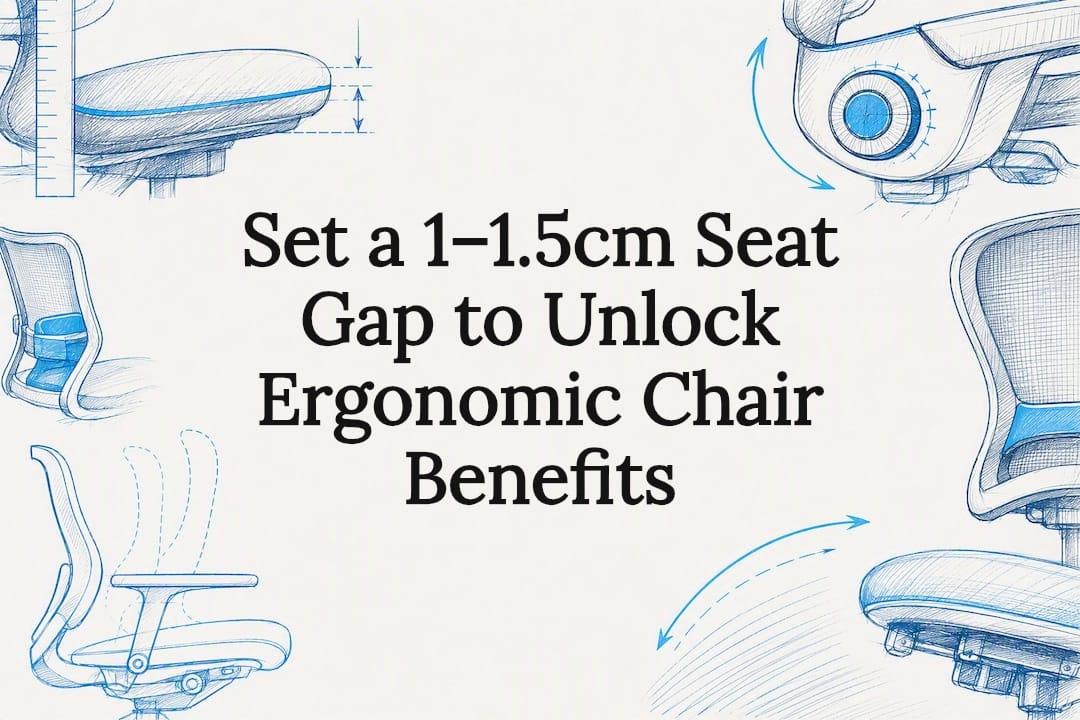
Ergonomic chairs are worth it when they fit your body and you actually adjust them. Done right, they reduce back and neck strain, support better posture, and ease the fatigue that builds up over a long working day. Done badly, with the seat height wrong or the lumbar support ignored, the same chair delivers almost none of that. The benefits described in this guide, and the setup advice later on, are built around getting that fit right.
TL;DR:
- Properly adjusted ergonomic chairs improve comfort and posture by aligning lumbar support, seat depth, and armrest height with individual body proportions.
- Most benefits depend heavily on proper setup and regular movement breaks, not just the chair's features or initial purchase.
- Long-term pain reductions are inconsistent in studies, but comfort scores reliably improve with good ergonomic implementation.
- Seat pan depth and chair movement are commonly overlooked but crucial for reducing muscle strain and supporting spinal health.
- Cost, fit, and material choice impact the chair's effectiveness, making testing and proper adjustment essential for maximum benefits.
Table of Contents
- The core benefits of using an ergonomic chair
- How ergonomic chairs deliver those benefits
- What the research actually shows, and where it's still mixed
- Setting up your ergonomic chair to actually get the benefits
- Who benefits most, and the downsides worth knowing
- Our view on what actually moves the needle
- Try an ergonomic chair that adjusts to fit, not the other way round
- Sources
- FAQ
The core benefits of using an ergonomic chair
The health and comfort gains from a well-fitted ergonomic chair are consistent enough that they're worth listing out plainly, one at a time, rather than lumped into a vague "better for you" claim.
- Better postural alignment. A chair with adjustable lumbar support holds the natural inward curve of your lower spine, stopping you from slumping into the rounded-back position that standard chairs almost encourage over an eight-hour shift.
- Reduced back and neck pain. When the backrest tracks your spine and the headrest (where fitted) supports the neck during recline, the small stabilising muscles along your spine don't have to work as hard just to hold you upright.
- Less muscle fatigue. Armrests set at the right height take the load off your shoulders and upper traps, which are otherwise tensed all day to keep your arms hovering over the keyboard.
- Improved circulation. A seat pan with the correct depth stops the front edge digging into the back of your thighs, a common cause of pins and needles and mild swelling in the lower legs by mid-afternoon.
- More stable comfort and temperature control. Mesh backrests and seats let air move through rather than trapping heat, which matters more than people expect once you're sitting for six or more hours straight.
- Sharper concentration. Discomfort is a constant, low-level distraction. Remove the fidgeting and shifting that comes with a bad chair and attention naturally holds longer on the task in front of you.
- Fewer recurring aches. Chair interventions in the workplace are linked to a genuine drop in self-reported musculoskeletal symptoms shortly after the switch, particularly in the neck, shoulders and lower back.
Every one of these benefits traces back to a specific adjustable feature rather than the chair as a whole. A mesh back with no lumbar adjustment won't fix lower back pain. A chair with great lumbar support but a seat pan that's too deep for you will just create a new problem at the knees. The benefit only appears when the feature and your body actually line up.
How ergonomic chairs deliver those benefits
The mechanism is straightforward: an ergonomic chair reduces the amount of muscular effort your body spends just staying upright, and redirects that saved effort towards small, healthy movements instead of static strain.
Poor anthropometric fit, meaning a mismatch between your body's proportions and the chair's dimensions, forces your postural muscles to overwork, which is exactly what drives fatigue and chronic pain risk over months of daily use. Ergonomic chairs are built to close that gap through a handful of specific adjustments:
- Lumbar support pushes gently into the small of your back, maintaining the spine's natural curve instead of letting it flatten or round.
- Seat pan depth determines how far forward or back you sit; get it wrong and you either can't reach the lumbar support or you cut off circulation behind the knees.
- Seat height should let your feet rest flat with knees roughly level with your hips.
- Armrests need to sit at elbow height so your shoulders stay relaxed rather than shrugged.
- Tilt and recline tension should resist just enough to let you lean back and return upright without locking in one spot.
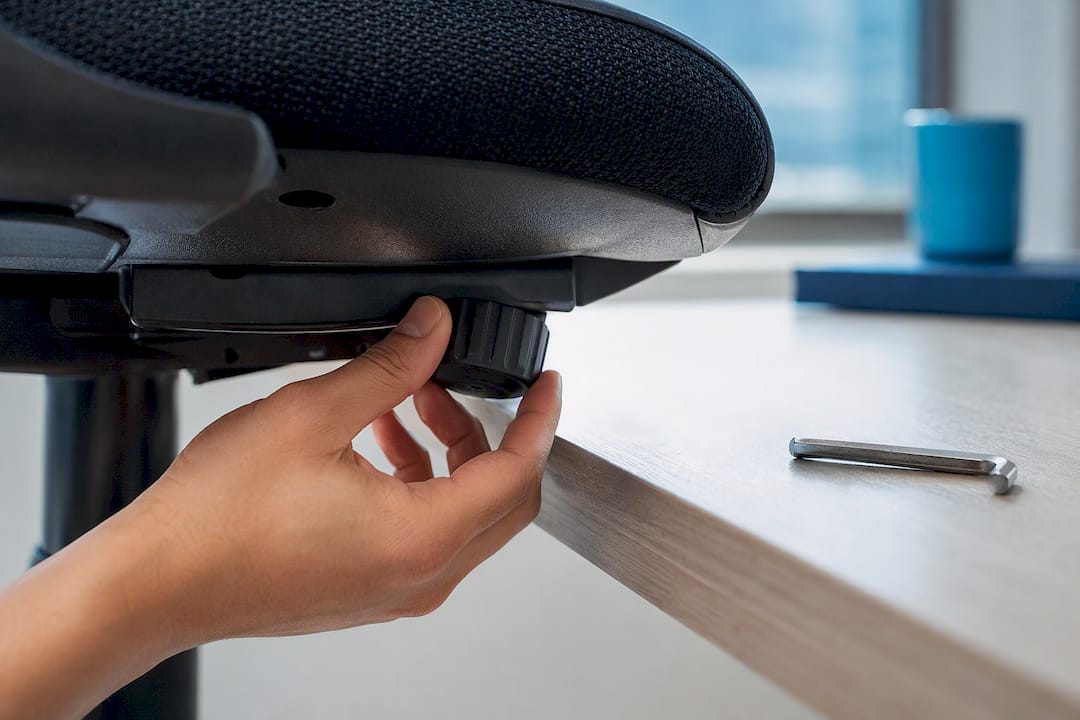
The fit detail that catches most people out is seat pan depth. The University of Pittsburgh's ergonomics guidance recommends leaving a gap of roughly 1 to 1.5 centimetres, about a thumb's width, between the front edge of the seat and the back of your knees. Too shallow, and the lumbar support never reaches your back. Too deep, and the edge presses into your legs all day.
Dynamic sitting matters just as much as any single measurement. Letting the chair move and recline with you, rather than staying rigid, supports spinal health better than holding one fixed posture, because small shifts keep blood moving and stop anyone muscle group from fatiguing.
Pro Tip: Set your tilt tension so the chair tracks your movement rather than locking upright. Experienced ergonomists suggest allowing small posture changes every 10 to 20 minutes rather than staying rigid for hours at a time.
What the research actually shows, and where it's still mixed
Comfort improves reliably. Long-term pain reduction is a harder claim to prove, and it's worth being honest about that gap before you spend money expecting a cure.
A systematic review of ergonomic chairs in workplace settings found consistent improvements in comfort scores across studies, but effects on disability and long-term pain were considerably less consistent. Some trials showed meaningful reductions, others showed little difference once researchers tracked participants for months rather than weeks.
Statistic callout: Chair interventions in the workplace tend to reduce self-reported musculoskeletal symptoms immediately after introduction, but longer-term pain outcomes are inconsistently demonstrated across studies due to differences in chair design, participant groups, and how "improvement" was measured.
Part of the inconsistency comes down to study design rather than the chairs themselves. Sample sizes in workplace ergonomics research tend to be small, and studies rarely use identical chairs, identical adjustment protocols, or identical follow-up periods, which makes pooling results into one clean answer difficult.
The broader occupational health rationale still holds up. Proper ergonomic implementation, meaning a workspace genuinely fitted to the individual using it, is recognised as a way to mitigate work-related musculoskeletal disorders rather than just treat symptoms after they appear.
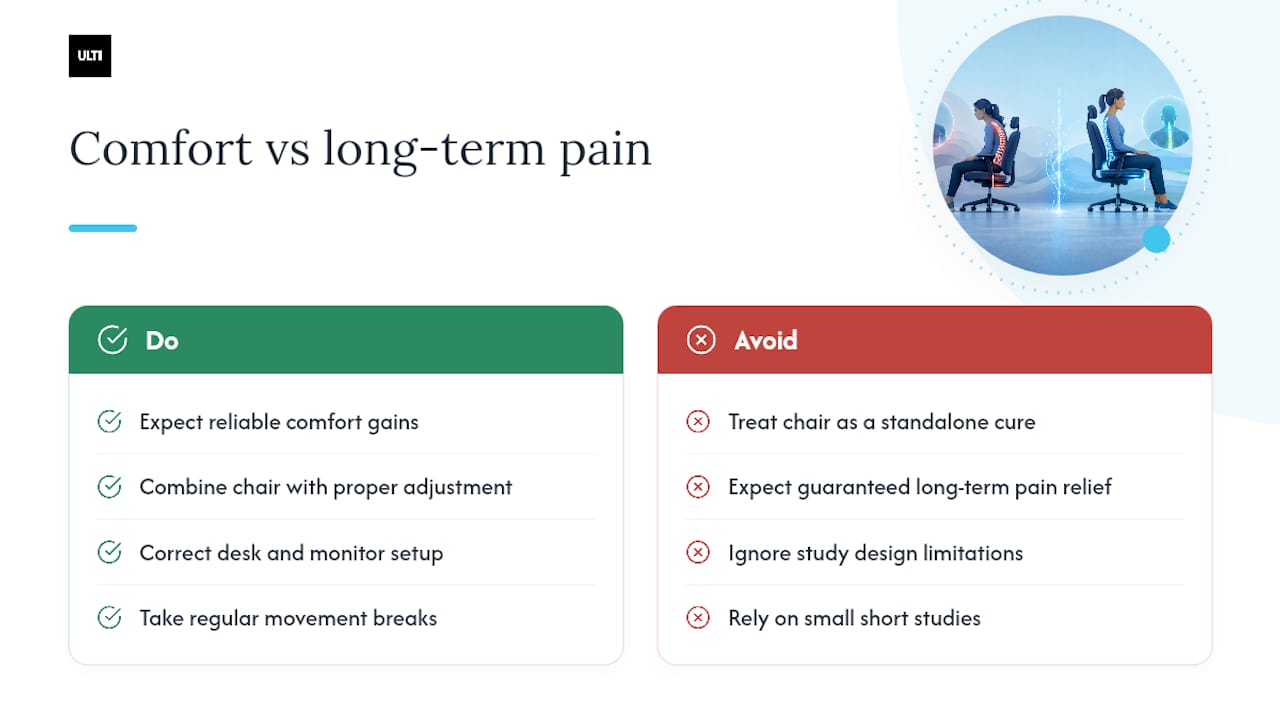
The practical takeaway from all this evidence is fairly simple: don't treat a chair as a standalone fix. Comfort gains show up fast and reliably. Pain reduction is more likely when the chair is paired with proper adjustment, a sensible desk and monitor setup, and regular movement breaks throughout the day, rather than expected from the chair alone.
Setting up your ergonomic chair to actually get the benefits
Most of the value in an ergonomic chair is unlocked or lost in the first ten minutes after it's assembled, depending on whether anyone actually adjusts it.
- Set seat height first. Sit with feet flat on the floor and knees roughly level with your hips, adjusting until your thighs sit close to horizontal.
- Adjust seat pan depth so there's a small gap, about a thumb's width, between the seat edge and the back of your knees.
- Position the lumbar support so it presses into the curve of your lower back when you sit fully back in the chair.
- Set armrest height so your shoulders relax and your elbows sit close to a 90 degree angle at the keyboard.
- Tune the recline tension so the chair resists gently but still moves with you, rather than locking you upright or flopping back too easily.
- Check your desk and monitor height against the chair, not the other way round. Even a well-adjusted chair underperforms if the rest of the workstation forces you to crane your neck or hunch your shoulders to see the screen.
- Build in micro-breaks. Stand, stretch, or shift posture every 10 to 20 minutes rather than sitting locked in one position for hours.
A short adjustment session or basic training on how the chair works meaningfully increases the odds it actually delivers results, since most people never touch the levers beyond height once they've sat down.
| Adjustment | Target position | Why it matters |
|---|---|---|
| Seat height | Feet flat, knees level with hips | Prevents pressure under thighs and poor circulation |
| Seat pan depth | ~1 to 1.5cm gap behind knee | Lets you reach lumbar support without cutting off circulation |
| Lumbar support | Contacts lower back curve | Reduces load on spinal muscles |
| Armrests | Elbows near 90 degrees | Relieves shoulder and upper back tension |
| Recline tension | Resists but tracks movement | Encourages dynamic sitting, not locked posture |
For a fuller walkthrough with photos and model-specific settings, the ergonomic chair adjustment guide covers each step in more depth, and the work-from-home setup guide pairs it with desk and monitor placement.
Who benefits most, and the downsides worth knowing
People who sit for most of the working day, anyone dealing with early-stage back or neck strain, and those who switch frequently between typing, calls and reading tend to see the clearest gains. If you're already active through the day, standing regularly or alternating tasks that move you around, the marginal benefit of upgrading your chair is smaller, though still real.
There are genuine downsides worth weighing before you buy:
- Poor fit undoes the benefit entirely. A chair sized wrong for your body can create new pressure points rather than solving old ones.
- Cost is a real barrier. Quality adjustable chairs sit well above basic office seating, and the gains don't justify the price if you never adjust it properly.
- Heat retention varies by material. Foam padding traps warmth more than mesh, which matters in a warm climate or during long sessions.
- False security is common. A comfortable chair can tempt you to sit still for even longer, undermining the movement breaks that protect your spine.
- Maintenance adds up. Gas lifts, tilt mechanisms and mesh weave all wear over years of daily use.
Mitigate most of this by testing a chair before buying where possible, following a proper adjustment guide from day one, alternating posture deliberately rather than relying on the chair to do it for you, and choosing breathable mesh if you run warm or sit long hours.
Our view on what actually moves the needle
The chair itself is only half the equation, and treating it as a purchase you make once and forget is where most people lose the benefit entirely. Adjustability matters more than any single feature on a spec sheet. A chair with excellent lumbar support but no seat pan depth adjustment will still fail someone whose thighs are shorter or longer than average, and no amount of premium foam fixes that.
What we'd push back on is the idea that comfort alone proves a chair "works." Comfort is real and it shows up fast, but pain reduction takes correct fit, sustained use and proper desk pairing to follow. The chair finder tool and adjustment guides exist because the fitting step is where most benefit is won or lost, not the shopping decision itself.
— ULTI
Try an ergonomic chair that adjusts to fit, not the other way round
The ergonomic chairs available are designed around the exact adjustments this guide has walked through: lumbar positioning, seat pan depth, armrest height and recline tension that tracks your movement instead of locking you in place. Mesh options keep airflow moving through long working sessions, and these chairs are designed to pair naturally with sit-stand desks if you're building out a fuller setup.
If you're unsure what fits your body, the ergonomic chair finder matches your dimensions and habits to the right model before you commit. You can also see and sit in the range at a showroom, or browse the full ergonomic chair collection online and check sizing against the fit rules covered above. Start with the finder tool if you want a direct recommendation, or head straight to the chair range if you already know what you're looking for.
Sources
- Ergonomics - StatPearls - NCBI Bookshelf
- The effectiveness of a chair intervention in the workplace to reduce musculoskeletal symptoms. A systematic review - PMC
- How to choose an ergonomic chair - University of Pittsburgh Safety & Health
- Effects of Ergonomic Chairs on Workplace Musculoskeletal Health: A Systematic Review - Physical Treatments - Specific Physical Therapy Journal
FAQ
What are the main benefits of ergonomics at work?
The core benefits are better postural alignment, reduced back and neck strain, less muscle fatigue, improved circulation, and sharper concentration through the working day. These come from fitting the workspace, including the chair, to the individual rather than expecting the person to adapt to a fixed setup, which is the principle behind occupational ergonomics.
What are the downsides of using an ergonomic chair?
The main downsides are cost, the risk of poor fit undoing the intended benefit, heat retention with foam materials, and a false sense of security that leads people to sit still for longer. Choosing breathable mesh, testing before buying, and pairing the chair with regular movement breaks addresses most of these issues.
Is it worth getting an ergonomic chair?
It's worth it if you sit for most of your working day and you're prepared to adjust the chair properly rather than leaving factory settings unchanged. Research shows consistent comfort improvements from adjustable ergonomic chairs, though long-term pain reduction is less consistent across studies, so expect steady comfort gains rather than a guaranteed cure for existing pain.
What is the healthiest chair to sit in for long hours?
The healthiest option is an adjustable chair with proper lumbar support, correct seat pan depth, and a recline mechanism that tracks your movement rather than locking you upright. Dynamic sitting, where the chair moves with you, supports spinal health better than any single fixed posture, however well supported.
Do ergonomic chairs actually improve productivity?
They help indirectly by removing the low-level discomfort that pulls attention away from tasks, letting you hold focus longer without shifting or fidgeting. The effect comes from reduced fatigue and fewer distractions rather than the chair doing anything to your work directly.